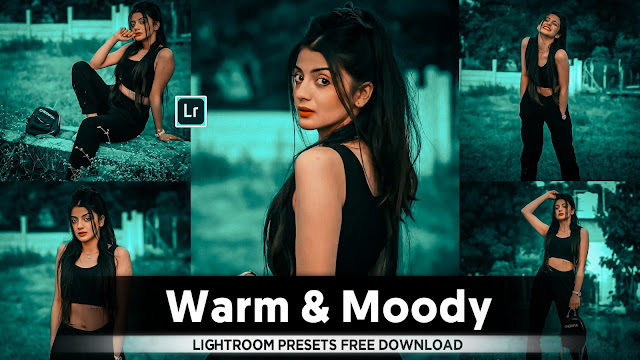
- Lightroom Black And Orange Colour Tone Preset

• Black and orange color tones can give photos a dramatic and moody look, often used in stylized editing. Here are the steps to achieve this using Adobe Lightroom:-
1. Import Your Photo: Start by importing your photo into Lightroom.
2. Basic Adjustments:
- Go to the `Develop` module.
- Adjust the `Exposure`, `Contrast`, `Highlights`, `Shadows`, `Whites`, and `Blacks` sliders to achieve a balanced exposure for your image.
3. Adjust Temperature and Tint:
- Warm up the `Temperature` slider slightly to add a hint of warmth to the overall image.
- Adjust the `Tint` slider as needed to correct any unwanted color casts.
4. Create Orange Tones:
- Scroll down to the `Split Toning` panel.
- Increase the `Hue` of the `Highlights` slider towards orange. Typically, a hue value around 30-40 works well for orange tones.
- Adjust the `Saturation` slider to control the intensity of the orange color in the highlights. Start with a low saturation (around 10-20) for a subtle effect and increase if necessary.
5. Enhance Contrast and Clarity:
- Increase `Clarity` slightly to enhance mid-tone contrast and add a bit of edge to your subjects.
- Adjust `Vibrance` and `Saturation` cautiously to ensure the colors look natural and not overly saturated.
6. Fine-Tune:
- Use the `Tone Curve` to fine-tune the contrast further. A slight S-curve can often enhance the tones and contrast in the image.
- Use the `HSL/Color` panel if necessary to tweak specific colors, although for black and orange, this may not be needed as much.
7. Final Adjustments:
- Check your image at 100% zoom to ensure there are no artifacts or noise introduced during editing.
- Fine-tune any areas that might need local adjustments using the `Graduated Filter`, `Radial Filter`, or `Adjustment Brush`.
8. Export Your Image:
- Once you're satisfied with the edits, export your photo using the `File > Export` menu. Choose your preferred file format, size, and quality settings.
By following these steps, you should be able to achieve a black and orange color tone in your photo using Adobe Lightroom, enhancing its mood and visual impact. Adjustments may vary based on the specific characteristics and lighting of your original photograph.
- Lightroom Presets Ko Kaise Use kare....

Lightroom mobile presets ka istemal karna photo editing ko bahut hi aasan bana deta hai. Niche diye gaye steps follow karein:
- Lightroom Mobile App Open kare: Apne mobile device mein Lightroom mobile app ko open karein.
- Photo Import kare: Photo edit karne ke liye, Lightroom app mein photo ko import karein. Iske liye, "+" icon par tap karein aur phir "Add Photos" select karein, ya phir direct gallery se photo select karein.
- Edit Panel Open kare: Photo select karne ke baad, bottom panel mein Edit icon (jaise pencil ya sliders ka icon) par tap karein.
- Presets Panel Open kare: Edit panel mein, top-right corner mein ek three-dot menu hoga. Us par tap karein aur "Presets" option ko select karein.
- Presets ko Browse karein: Ab aapke samne presets ka collection hoga. Aap presets ko scroll karke browse kar sakte hain aur jis preset ko apply karna chahte hain, us par tap karein.
- Presets Apply karein: Jab aap preset par tap karte hain, to wo automatically aapke photo par apply ho jayega. Aap dekhenge ki aapka photo preset ke according change ho jayega.
- Adjustments karein (optional): Agar aapko preset ke baad bhi kuch adjustments karna hai, to aap editing tools ka istemal karke further adjustments kar sakte hain.
- Save karein aur Share karein: Jab aap satisfied ho jaayein apne editing se, to "Done" ya "Save" button par tap karein. Phir aap photo ko apne gallery mein save kar sakte hain ya direct social media platforms par share kar sakte hain.
Is tarah se aap presets ka istemal karke Lightroom mobile app mein aasani se photo edit kar sakte hain...Killer Editing



Comments
Post a Comment