Lightroom Top 5 Presets Free Download...

- Lightroom Presets Ko Kaise Use kare....
- Lightroom mobile presets ka istemal karna photo editing ko bahut hi aasan bana deta hai. Niche diye gaye steps follow karein:
- Lightroom Mobile App Open kare: Apne mobile device mein Lightroom mobile app ko open karein.
- Photo Import kare: Photo edit karne ke liye, Lightroom app mein photo ko import karein. Iske liye, "+" icon par tap karein aur phir "Add Photos" select karein, ya phir direct gallery se photo select karein.
- Edit Panel Open kare: Photo select karne ke baad, bottom panel mein Edit icon (jaise pencil ya sliders ka icon) par tap karein.
- Presets Panel Open kare: Edit panel mein, top-right corner mein ek three-dot menu hoga. Us par tap karein aur "Presets" option ko select karein.
- Presets ko Browse karein: Ab aapke samne presets ka collection hoga. Aap presets ko scroll karke browse kar sakte hain aur jis preset ko apply karna chahte hain, us par tap karein.
- Presets Apply karein: Jab aap preset par tap karte hain, to wo automatically aapke photo par apply ho jayega. Aap dekhenge ki aapka photo preset ke according change ho jayega.
- Adjustments karein (optional): Agar aapko preset ke baad bhi kuch adjustments karna hai, to aap editing tools ka istemal karke further adjustments kar sakte hain.
- Save karein aur Share karein: Jab aap satisfied ho jaayein apne editing se, to "Done" ya "Save" button par tap karein. Phir aap photo ko apne gallery mein save kar sakte hain ya direct social media platforms par share kar sakte hain.
Is tarah se aap presets ka istemal karke Lightroom mobile app mein aasani se photo edit kar sakte hain...Killer Editing👌
1. Lightroom Presets...(1)👇

👉 PRESET DOWNLOAD 👈
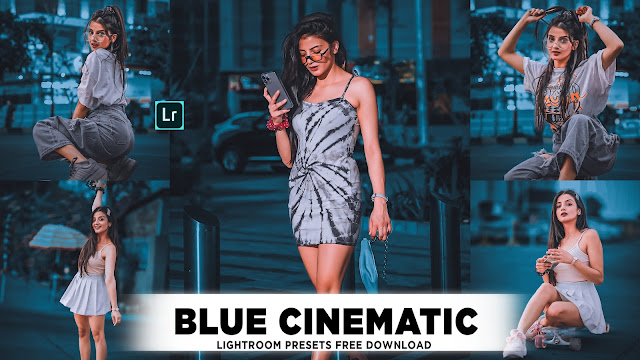
2. Lightroom Presets...(2)👇

👉 PRESET DOWNLOAD 👈 |
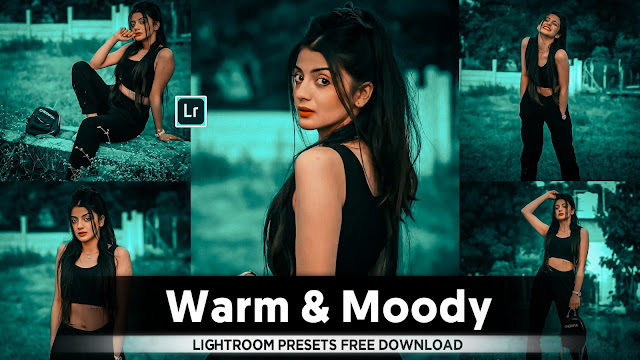
3. Lightroom Presets...(3)👇


5. Lightroom Presets...(5)👇
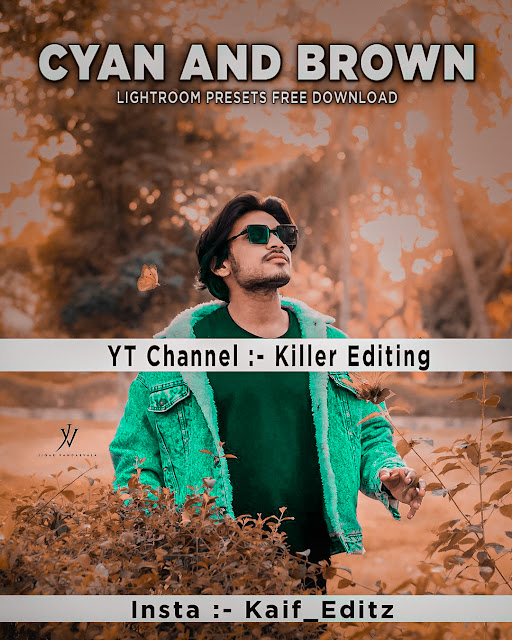
👉 PRESET DOWNLOAD 👈
• Lightroom mein photo edit karna aur Lightroom presets ka istemal karna ek detailed process hai :-
Bhag 1: Lightroom Ki Introduction
1. Lightroom Ki Parichay
- Lightroom kya hai aur iska upayog kis tarah se hota hai.
- Lightroom ka use kyun karte hain aur iske fayde.
Bhag 2: Lightroom Mein Photo Import Karein
1. Photo Import Ka Tarika
- Photos ko Lightroom mein kaise import karte hain.
- Different import options aur unke fayde.
Bhag 3: Basic Photo Editing Tools
1. Basic Photo Editing Tools Ki Samajh
- Exposure, contrast, aur brightness ka adjustment.
- Color temperature aur white balance settings.
Bhag 4: Advanced Photo Editing Tools
1. Advanced Editing Techniques
- Curves aur levels adjustments.
- HSL (Hue, Saturation, Luminance) settings ka istemal.
Bhag 5: Photo Retouching Techniques
1. Photo Retouching
- Spot healing aur clone stamp tool ka upayog.
- Red-eye aur blemish removal.
Bhag 6: Presets Ki Introduction
1. Presets Ki Parichay
- Presets kya hote hain aur kaise kaam karte hain.
- Custom aur built-in presets ke fark.
Bhag 7: Presets Ko Import Aur Export Karein
1. Presets Import Aur Export Ka Tarika
- Presets ko kaise import karte hain.
- Apne presets ko kaise export karte hain.
Bhag 8: Presets Ka Istemal Karein
1. Presets Ka Istemal
- Presets ka photo editing mein kaise upayog karte hain.
- Different types ke presets aur unka effect.
Bhag 9: Presets Ko Customize Karein
1. Presets Customize Kaise Karein
- Existing presets ko customize kaise karein.
- Apne personal presets kaise banayein.
Bhag 10: Batch Editing Techniques
1. Batch Editing
- Multiple photos ko ek saath kaise edit karein.
- Batch editing ki efficiency aur techniques.
Bhag 11: Exporting Photos
1. Photos Ko Export Kaise Karein
- Different export settings aur unke effect.
- Exporting ke liye best practices.
Bhag 12: Workflow Optimization
1. Workflow Optimization Tips
- Efficient workflow strategies.
- Time-saving techniques.
Bhag 13: Additional Tips And Tricks
1. Additional Tips
- Keyboard shortcuts aur productivity hacks.
- Frequently used tools aur unke shortcuts.
Bhag 14: Conclusion
1. Conclusion
- Summary of key points covered.
- Final thoughts on mastering Lightroom.
• Lightroom top 5 presets kaise use kare aur presets ki helps se photo ko kaise edit Karen.
* Introduction to Lightroom Mobile Presets
1. Definition of Presets: Explain what presets are in Lightroom Mobile, how they work, and their importance in photo editing workflows.
* Getting Started with Presets
2. Installation and Use: Step-by-step guide on how to install presets in Lightroom Mobile, including importing presets and applying them to photos.
* Understanding Different Types of Presets
° Popular Preset Styles: Discuss the top 5 preset styles commonly used:
- Vintage: Achieving a retro or aged look.
- Portrait: Enhancing portraits with specific adjustments.
- Landscape: Optimizing colors and tones for outdoor scenery.
- Black and White: Converting photos to monochrome effectively.
- Film Emulation: Mimicking the look of classic film stocks.
* Advanced Techniques and Customization
- Customizing Presets: How to tweak presets to suit specific photos or personal preferences.
- Creating Your Own Presets: Guide on creating custom presets from scratch or modifying existing ones.
* Tips for Using Presets Effectively
- Best Practices: Dos and don'ts when using presets to maintain quality and consistency in your edits.
- Adjustment Tips: How to fine-tune photos after applying presets to achieve professional results.
* Showcasing Examples and Case Studies
- Before and After: Visual examples demonstrating the impact of presets on different types of photos.
- Case Studies: Real-world examples of how presets are used by photographers or influencers.
* Troubleshooting and FAQs
- Common Issues: Addressing common problems users may encounter when using presets and how to resolve them.
- FAQs: Answering frequently asked questions about presets in Lightroom Mobile.
• Conclusion
* Summary: Recap of key points discussed and final thoughts on the versatility and benefits of using presets.


Comments
Post a Comment